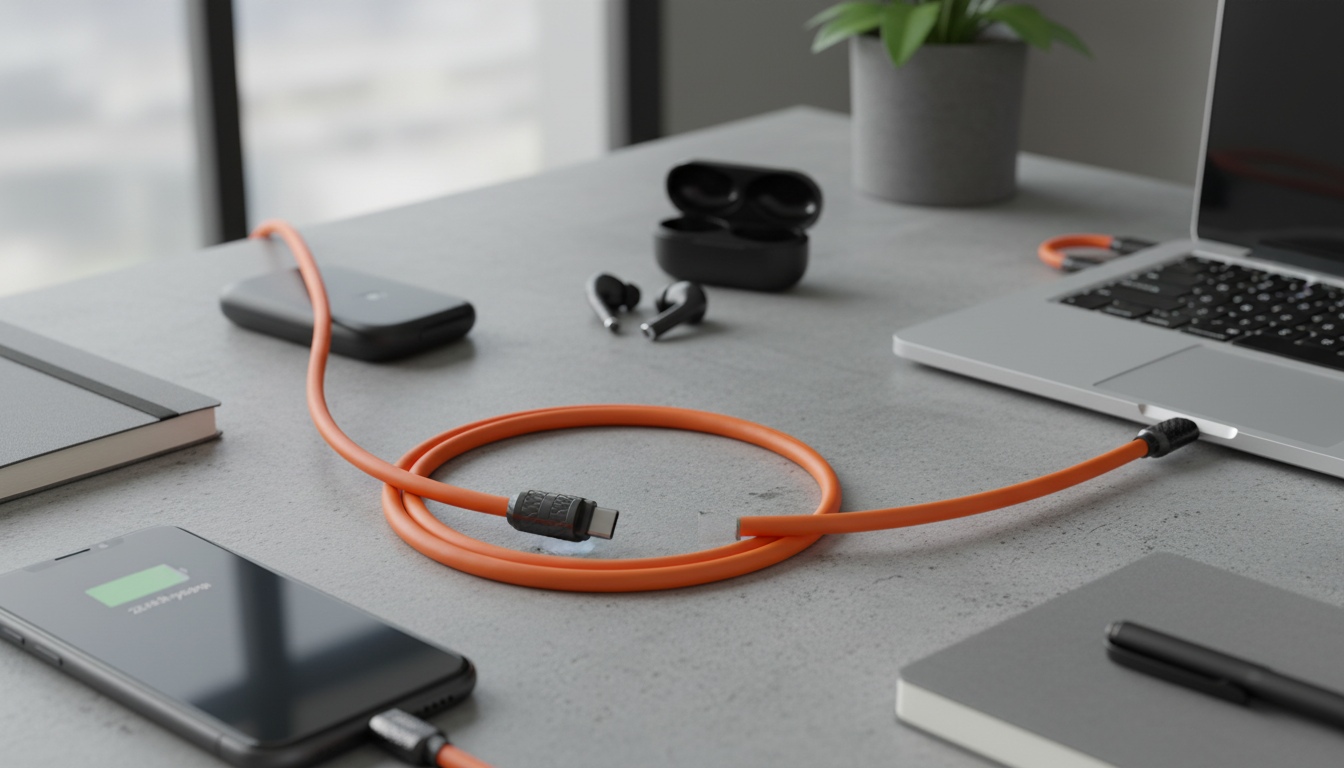
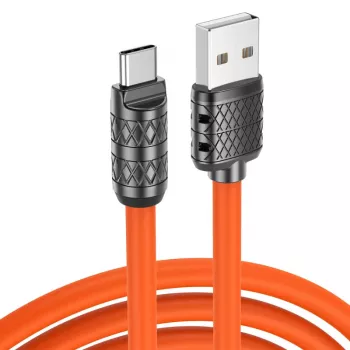
A reliable USB Type‑C cable keeps phones, tablets, power banks, and accessories charging consistently while handling everyday bending, packing, and plugging in. This 3A fast charging USB Type‑C cable is designed for quick power delivery on supported chargers, with a practical length and a straightforward, no-fuss setup for home, office, car, and travel.
What This Cable Is Best For
- Fast everyday charging on supported wall chargers, car chargers, and power banks (up to 3A where the charger/device allow it)
- Convenient backup cable for bags, desks, and travel kits
- Reliable connection for compatible USB‑C devices that need stable power delivery
- A budget-friendly option for stocking multiple rooms, vehicles, or workstations
If you want a simple, dependable spare (or a few) without overthinking specs, the 3A Fast Charging USB Type C Cable is a practical choice for daily charging routines.
Key Features That Matter Day to Day
- 3A charging support to reduce charge time compared with lower-current cables when paired with compatible charging bricks
- USB Type‑C connector designed for modern phones and accessories that use USB‑C
- Simple plug-and-charge use with no setup required
- Lightweight and easy to coil for portability
- Designed for routine plugging/unplugging without feeling bulky
For deeper technical background on USB‑C basics and how the connector standard is defined, the USB Implementers Forum (USB‑IF) provides official references at usb.org.
Charging Speed: What “3A” Means in Practice
- Maximum current rating indicates how much power the cable can carry when the charger and device negotiate that level
- Actual charging speed depends on the charger’s output, the device’s charging protocol, battery temperature, and battery percentage
- For best results, pair with a reputable fast charger and avoid charging through low-power USB ports
- If charging seems slow, check the power adapter rating and try a different outlet or charger
It helps to think of “3A” as the cable’s capacity—not a promise that every device will always charge at that rate. Your phone (or accessory) decides what it can accept, and the charger decides what it can deliver. If you’re using a low-output adapter, the cable can’t “create” more power than the adapter provides.
If your device and charger support USB Power Delivery, you can learn how that ecosystem works from USB‑IF’s overview at USB Power Delivery (USB‑PD).
Compatibility Checklist
- Works with USB‑C devices that accept charging via a USB‑C port (many Android phones, newer tablets, earbuds cases, power banks, and accessories)
- Ensure the wall/car charger has sufficient output; a 3A-rated cable cannot make a low-output charger charge faster
- Some laptops and high-wattage devices may require higher-wattage USB‑C cables and USB Power Delivery support; confirm device requirements before relying on a basic charging cable
- For data transfer needs, verify supported data speeds on the specific cable listing; some charging cables prioritize power over high-speed data
When shopping for a cable, match the connector first (USB‑C) and then match the power needs. A phone or accessory that fast-charges at higher current will benefit most from a 3A-rated cable paired with a capable charger. If you’re charging a bigger device (like certain laptops), confirm wattage and PD requirements before expecting laptop-level charging performance from a basic cable.
Specifications at a Glance
Use this quick snapshot to compare needs (charging current, connector type, and practical use cases). If a device requires higher wattage (common on some laptops), choose a cable explicitly rated for that wattage and USB Power Delivery as needed.
Cable quick facts
| Spec |
Details |
Why it matters |
| Connector type |
USB Type‑C |
Matches modern USB‑C ports on phones and accessories |
| Max charging current |
Up to 3A (with compatible charger/device) |
Higher current can reduce charge time versus lower-rated cables |
| Best use |
Everyday fast charging |
Ideal for home, office, car, and travel backups |
| Compatibility note |
Depends on charger/device support |
Charger rating and device protocol determine real-world speed |
Durability and Safety Basics
For general device charging and battery guidance (including factors like temperature and background activity), Android’s support resources are helpful: Android Help.
Common Setups and Practical Tips
Troubleshooting Slow or Unstable Charging
If you need a dependable spare for testing (or for everyday use), keeping an extra 3A Fast Charging USB Type C Cable on hand makes troubleshooting faster—swap one variable at a time and you’ll usually find the bottleneck quickly.
More In‑Stock Picks
FAQ
Will a 3A USB‑C cable fast charge any phone?
No. Fast charging depends on the phone’s supported charging protocol and the charger’s output; a 3A cable only helps when both the charger and device can negotiate and use higher current.
Why is my USB‑C cable charging slowly even though it says fast charging?
The most common cause is the power adapter or port being low-output (or the device limiting speed due to heat or high battery percentage). Try a higher-watt adapter, clean the USB‑C port gently, and avoid charging from low-power computer USB ports.
Is it safe to leave a phone charging overnight with a fast charging cable?
Modern phones manage charging to reduce overcharging risk, but safety still depends on using reputable chargers and an undamaged cable. Keep the device ventilated (not under pillows/blankets) and replace cables that feel loose, frayed, or unusually warm.
Recommended for you










Leave a comment