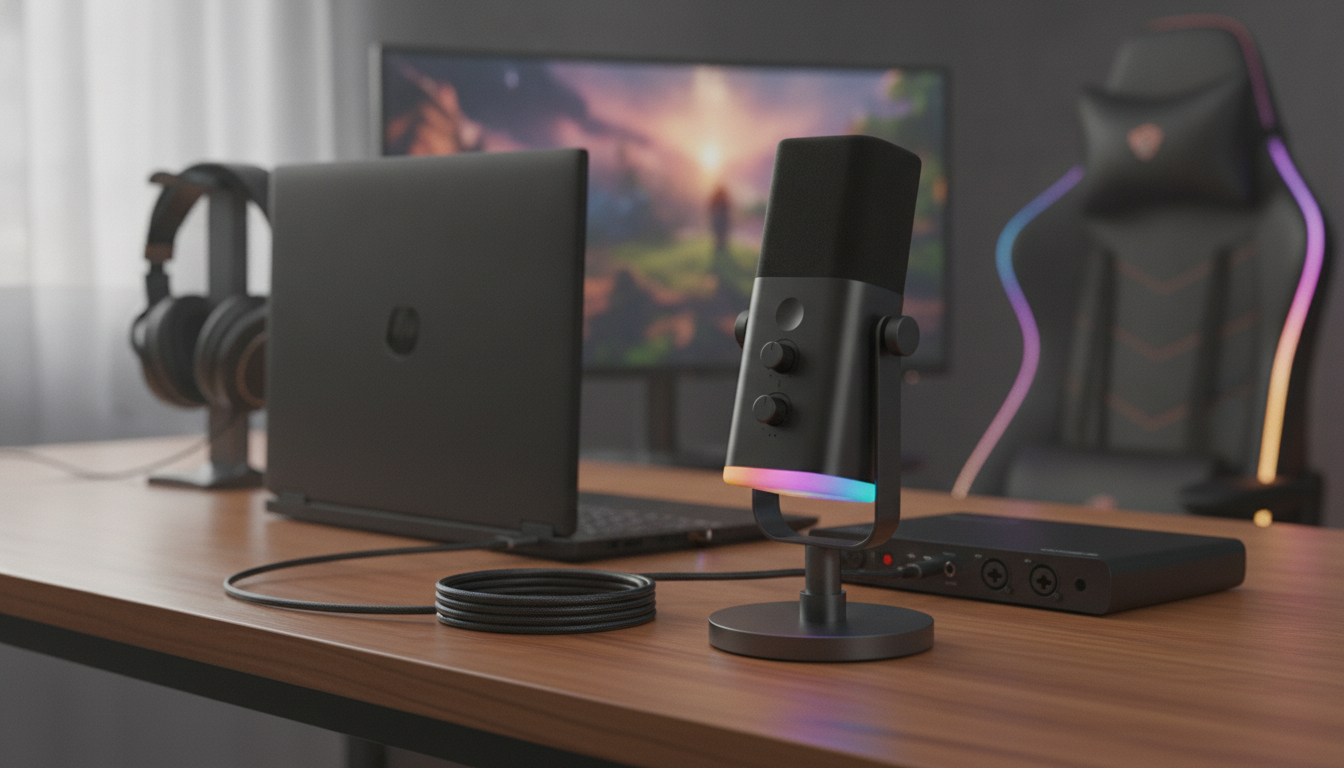
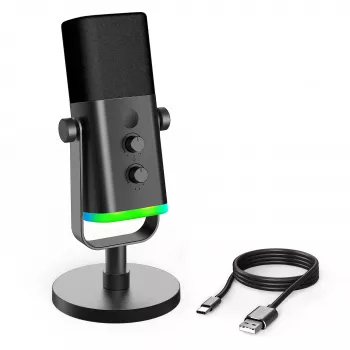
Clear, controlled voice audio can change how a stream, voice chat, or podcast feels—especially when background noise and desk vibrations are part of the setup. A dynamic mic with both USB and XLR connectivity keeps things flexible: plug into a computer for fast setup or route into an interface later. Add RGB lighting for desk aesthetics and a one-tap mute for quick control during live moments. For more guidance, see Maono PD200X USB/XLR Dynamic Microphone.
If the goal is a tighter, more “broadcast” style sound without turning the room into a studio, a dynamic microphone is often the practical starting point. Dynamics typically favor what’s close to the capsule (your voice) and are less eager to grab every reflection in the room compared with many condensers—an advantage in bedrooms, shared spaces, or lively offices. For a deeper overview of how mic types differ, Shure’s guide is a helpful reference: Dynamic vs. Condenser Microphones. For further reading, see Best USB microphones 2026: Plug-and-play mics for ….
What Makes This Microphone Different
- Dynamic capsule design that can be more forgiving in untreated spaces, helping reduce the “roomy” sound that can happen with very sensitive mics.
- Dual connectivity (USB + XLR) so it can start as a simple plug-and-play mic and later become part of a larger audio chain.
- RGB lighting for desk style and quick visual feedback on camera or in peripheral vision.
- Built-in mute button for instant silence during coughs, side conversations, snack breaks, or stepping away from the desk.
- Versatile use for gaming chat, streaming commentary, voiceovers, and casual music demos where clarity matters more than room ambience.
Quick Setup for Streaming and Voice Chat
USB setup (fastest path)
- Connect the mic to your computer via USB.
- Select it as the input device in your system sound settings.
- Choose it inside your streaming app, voice chat app, or recording software.
- Do a quick test recording to confirm levels and mute behavior before going live.
XLR setup (upgrade path)
- Connect the mic to an audio interface or mixer using an XLR cable.
- Set gain conservatively at first; increase until your loudest speaking hits a healthy level without clipping.
- Add processing as needed (gate/expander, compressor, EQ) to match your voice and environment.
Placement that instantly improves clarity
- Position the mic about 2–6 inches from your mouth for a fuller, more present voice.
- Keep it slightly off-axis (angled a bit to the side) to reduce plosives and harsh breath noise.
- If keyboard noise is the enemy, move the mic closer and lower your gain—distance is your best “noise reducer.”
USB vs XLR: Choosing the Best Connection
| Connection |
Best for |
What you need |
Why it helps |
| USB |
Quick gaming/streaming setup |
Computer + USB port |
Fast start with minimal gear |
| XLR |
Upgrading audio quality and control |
Audio interface/mixer + XLR cable |
More gain control and routing options |
Sound and Voice Control Tips That Make a Big Difference
- Use distance like a volume knob: getting closer increases voice presence without cranking gain (and without boosting room noise).
- Control pops: angle the mic slightly to the side for P/B sounds; add a pop filter or windscreen if you speak close.
- Stabilize the mic: a sturdy stand or boom arm reduces bumps; try to isolate the mic from desk vibrations when possible.
- For streaming: a gentle compressor can smooth peaks, and a noise gate/expander can help keep quiet moments cleaner (set subtly to avoid choppy audio).
- For gaming chat: prioritize intelligibility—trim excess low end if your voice gets boomy, and add a touch of midrange clarity if needed.
For practical placement and streaming workflow tips, RØDE’s streaming guidance is a solid overview: How to Mic Yourself for Streaming and Gaming.
RGB Lighting and Mute Button: Practical Use Cases
What to Pair It With
Product Snapshot
Name: USB/XLR Dynamic Microphone with RGB Lights & Mute Button for Gaming & Streaming
Price: $73.51 (USD)
Availability: In stock
Best fit: Streamers, gamers, and creators who want flexible connectivity with simple, live-friendly controls.
At-a-Glance Details
| Detail |
Value |
| Connectivity |
USB + XLR |
| Mic type |
Dynamic |
| Controls |
Mute button |
| Lighting |
RGB |
| Price |
$73.51 |
| Stock status |
In stock |
More In-Stock Picks for an On-Camera Setup
FAQ
Does USB sound different from XLR on the same microphone?
It can. USB uses the microphone’s built-in analog-to-digital conversion, while XLR relies on your external interface or mixer, so the result depends on interface quality, gain settings, and any processing you add. The advantage is flexibility: start simple on USB and upgrade your signal chain later with XLR.
Will a dynamic microphone reduce keyboard and room noise for streaming?
Often, yes—dynamic mics commonly pick up less room ambience than many condensers, but placement matters most. Keep the mic close (2–6 inches), lower the gain, aim it slightly off-axis, and consider a gentle noise gate/expander if your environment is loud.
How should the mute button be used during live streams?
Use it for instant privacy control—coughs, side conversations, or stepping away—without hunting for software controls. Confirm the mute indicator and test in your streaming app so you know what “muted” looks like; a secondary software mute hotkey is a good backup.
Recommended for you








Leave a comment