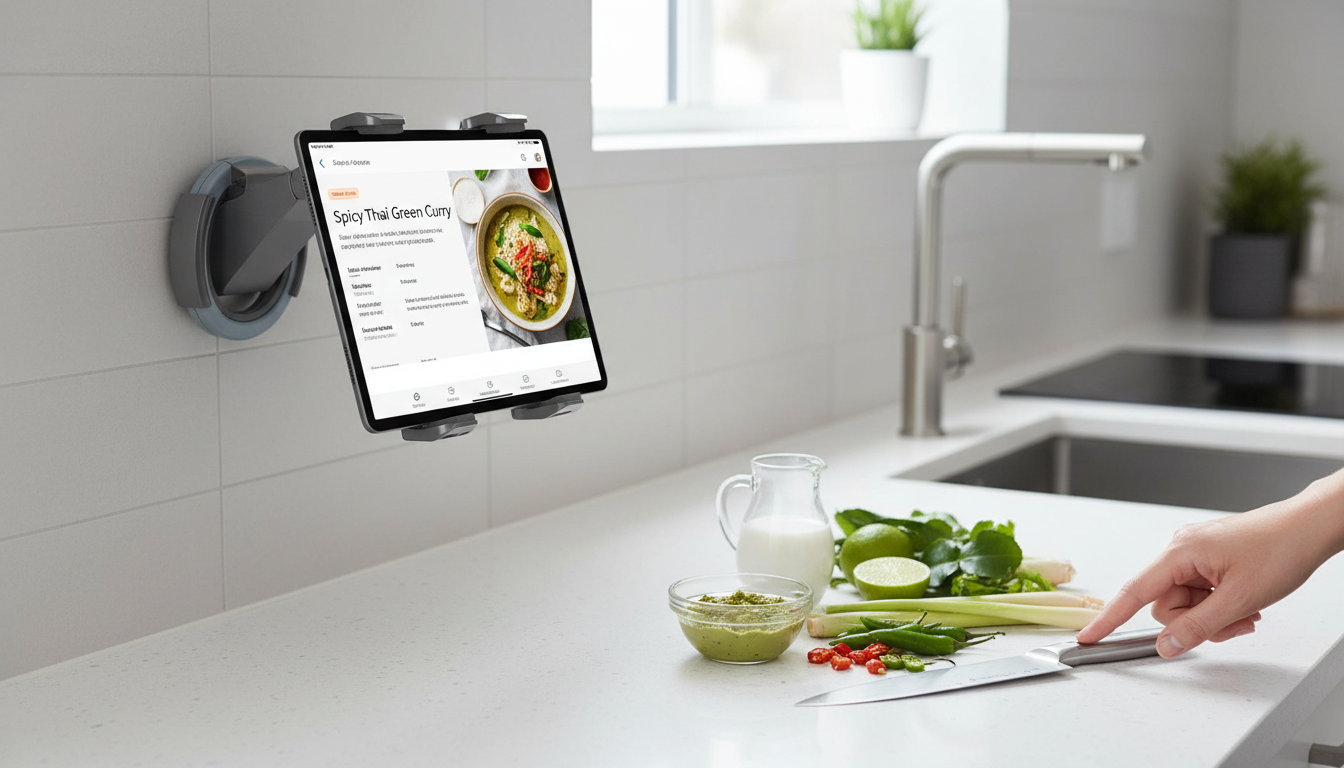
A sturdy tablet stand in the kitchen keeps recipes, timers, and videos visible while protecting the device from splashes and clutter. The right setup makes it easier to cook from digital instructions without constantly picking up your tablet (or leaving it flat on a messy counter). Below are practical ways to use a stand, where to place it, how to clean it, and what to check so it stays stable on real countertops.
Why a tablet stand belongs on the countertop
A kitchen is one of the few rooms where a tablet can be both genuinely helpful and genuinely in the way. A stand solves that by giving the tablet a “home base” that’s easier to see, safer around ingredients, and less likely to end up in a spill zone.
- Keeps recipes and how-to videos at eye level for quicker glances while cooking.
- Frees up counter space compared with laying a tablet flat near ingredients.
- Reduces hand contact with the device when hands are wet or messy.
- Helps keep the tablet away from direct heat, steam, and spill zones.
- Makes it easier to use voice assistants, timers, or music while prepping.
For cleaner cooking habits, it also helps to treat the tablet like any other “frequently touched surface.” Regular wipe-downs and handwashing matter—especially when switching between handling ingredients and tapping a screen. (See the FDA guidance on washing hands and surfaces and the CDC food safety overview.)
Key features to look for in a kitchen-friendly stand
Not all “universal” stands behave the same once they meet slick quartz, flour dust, and an enthusiastic tap-to-scroll motion. Prioritize stability and easy cleanup over extra knobs you won’t use.
- Wide, stable base that resists tipping when tapping the screen.
- Non-slip feet or pads to prevent sliding on smooth counters.
- A secure cradle or lip that prevents the device from drifting forward.
- An angle that’s comfortable for standing use (recipe reading) and seated use (meal planning).
- Easy-to-clean surfaces that won’t trap flour, oil, or sauce.
- Compatibility with tablets in common sizes and with slim cases.
Quick checklist for countertop use
| What to check |
Why it matters |
Kitchen tip |
| Base stability |
Prevents wobble when scrolling or tapping |
Test by tapping corners of the screen with one finger |
| Non-slip contact points |
Stops drifting on stone, laminate, or wood |
Wipe feet/pads weekly to restore grip |
| Device retention (lip/cradle) |
Helps avoid slips if the counter gets bumped |
Keep the stand away from the counter edge |
| Viewing angle |
Reduces neck strain during longer cooking sessions |
Aim for a screen tilt that avoids overhead light glare |
| Cleanability |
Kitchen residue builds up quickly |
Choose a stand you can wipe with a damp cloth |
A comfortable viewing angle is more than a convenience; it can reduce the “hunched over the counter” posture that creeps in during long prep sessions. For general ergonomics guidance and why neutral posture matters, reference NIOSH ergonomics resources.
Best places to set it up in the kitchen
Placement is the difference between “hands-free helper” and “one more thing to dodge.” Look for a spot that stays out of traffic, away from splash paths, and clear of direct heat.
- Prep zone: near cutting boards, but far enough from raw meat and splatter paths.
- Back of the counter: keeps the device away from spills and from being knocked off.
- Near an outlet: supports charging without the cable crossing a walkway.
- Away from stovetops and kettles: steam and heat can shorten device life.
- Near a backsplash: adds a barrier from forward spills and makes routing cables easier.
If you tend to open upper cabinets while cooking, place the stand where cabinet doors won’t swing into it. The best spot is often slightly off-center—close enough to read without stepping away, but not directly in the main chopping/seasoning lane.
Everyday uses beyond recipes
A countertop tablet stand earns its keep even when you’re not following a recipe word-for-word. It becomes a small “command center” for the routines that happen around cooking.
Using and caring for a tablet stand in a messy environment
If you want a dedicated spot for a tablet where it can stay visible but out of the chaos, the Universal Kitchen Tablet Stand is a simple countertop solution for everyday cooking.
Small upgrades that pair well with a countertop tablet setup
- A dedicated seasoning container: keeping salt or go-to spices within reach cuts down on extra trips while following steps. The Striped Ceramic Seasoning Jar with Spoon – Hand-Painted Spice & Salt Container is an easy countertop companion for frequent seasoning.
- Cable control: use cable clips or a shorter charging cable so cords don’t cross the prep space or tug the stand.
- A quick wipe-down rhythm: stand first, then the counter area around it, then the tablet screen—especially after handling ingredients.
FAQ
Will a universal kitchen tablet stand fit tablets with a case on?
It depends on the case thickness and the stand’s cradle or lip depth. Measure your tablet’s thickness with the case on and confirm it can sit securely without forcing it into place or wobbling.
Where should a tablet stand be placed to avoid kitchen damage?
Keep it away from direct heat and steam (like a stove or kettle) and out of splash zones near the sink. A stable spot toward the back of the counter with safely routed charging cables helps prevent drops, spills, and cable snags.
How do you keep a tablet stand from sliding on the counter?
Clean the stand’s feet or pads and make sure the counter is dry so the non-slip surfaces can grip. If needed, add a thin non-slip mat under the stand and prevent charging cables from tugging it forward.
Recommended for you










Leave a comment