A compact smart projector can turn a blank wall into a big-screen setup at home, in a dorm, or on the go. The sweet spot is everyday usability: a clear picture that’s easy to dial in, simple streaming and device support, and flexible placement when your “theater room” is really a bedroom, rental, or backyard patio. Below is a practical guide to what matters most—picture quality, portability, audio, connectivity, and setup tips that can improve sharpness in minutes.
What Makes a Portable Smart Projector Worth Using
Portable smart projectors shine when a full-size TV feels too permanent (or too big) for the space. A mini projector can be stored in a drawer, brought to a friend’s place, or packed for a trip—then set up quickly when it’s time to watch.
- Portable size for quick setup in bedrooms, dorms, rentals, and outdoor spaces.
- Built-in smart features for app-based streaming (availability depends on region and updates).
- LED light source for long-life operation and lower heat compared with older lamp designs.
- Easy positioning on a table, tripod, or shelf to fit different rooms and screen sizes.
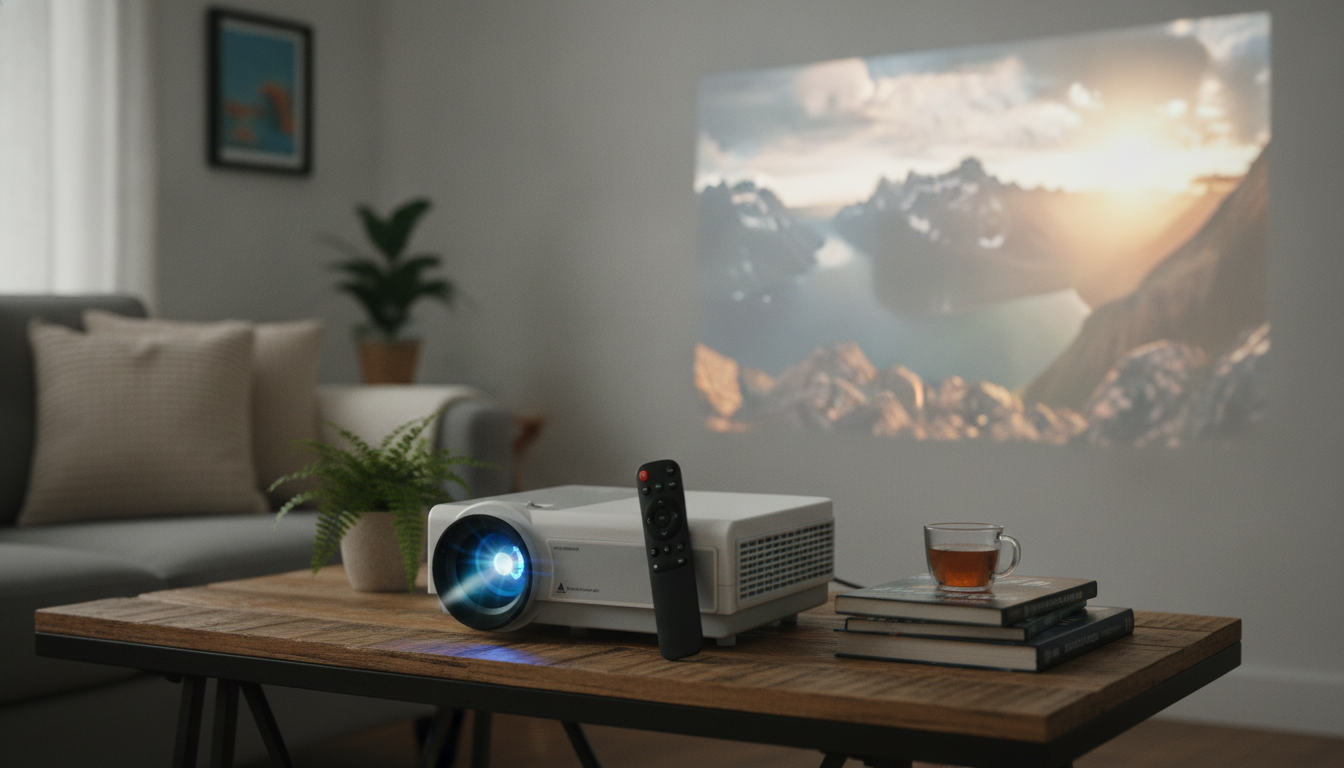
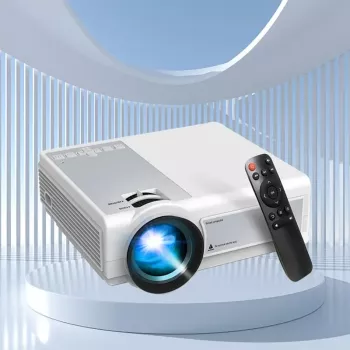
The Mini LED Portable Smart Projector is built for grab-and-go viewing with a compact footprint. It’s a natural fit for casual movie nights, kids’ rooms, simple presentations, and travel setups where convenience matters as much as screen size.
For best results, plan on controlling ambient light and projecting onto a flat, light-colored surface (or a screen). If bigger sound is needed, pairing with wireless audio gear or a compact soundbar can make dialogue clearer and action scenes more impactful.
At-a-glance checklist before buying
| What to check |
Why it matters |
Quick tip |
| Native resolution and supported formats |
Determines detail and text clarity |
Prefer higher native resolution for readable subtitles and menus |
| Brightness and room lighting |
Controls how punchy the image looks |
Plan for dim rooms or evening viewing for best contrast |
| Focus and keystone adjustment |
Affects edge sharpness and geometry |
Center the projector and minimize extreme angles |
| Connectivity (Wi‑Fi/Bluetooth/HDMI/USB) |
Decides what devices can be used |
Confirm the ports you rely on (streaming stick, console, laptop) |
| Speaker quality and audio options |
Impacts dialogue clarity and volume |
Use Bluetooth speaker or soundbar for richer sound |
| Throw distance and image size range |
Determines whether it fits the space |
Measure from placement spot to wall before ordering |
Picture Quality: How to Get a Sharper, Brighter Image
Small projectors can deliver a surprisingly fun big-screen look, but the environment matters. A few simple tweaks usually beat endlessly adjusting settings.
- Use a smooth, matte white wall or a dedicated screen to reduce hotspots and wall texture. Screen materials and “gain” can change perceived brightness and uniformity; Projector Central has a helpful overview of screen materials: Projector Screens: Materials and Gain.
- Dim overhead lights and avoid lamps aimed at the projection surface. Even a small side lamp can wash out blacks and flatten contrast.
- Place the projector level with the middle of the screen area to reduce keystone artifacts. The more you rely on digital correction, the more edge detail can soften.
- Fine-tune focus after warm-up (a few minutes). Many compact units stabilize once they’ve been running briefly.
- Size for clarity, not bragging rights. For animated content and casual viewing, consistent focus and decent contrast often look better than pushing to the maximum image size.
If you want a deeper dive into how reviewers evaluate brightness, black level, and uniformity, RTINGS maintains a large projector testing library: Projector Reviews and Testing.
Smart Features and Streaming: What to Expect Day to Day
“Smart” features are convenient, but real-life streaming reliability is a mix of app support, firmware updates, and network stability.
Connectivity for Consoles, Laptops, and Media Libraries
Where It Fits Best: Room-by-Room and On-the-Go Ideas
Setup in 10 Minutes: A Practical Quick Start
Care, Storage, and Long-Term Use
The Mini LED Portable Smart Projector is currently in stock at $230.01 (USD). For a more complete setup, it can help to budget for one or two add-ons: a small screen, a simple tripod, or an external speaker depending on where you plan to use it most.
More In-Stock Picks for Cozy Nights and Gifting
FAQ
Can a portable smart projector replace a TV?
It can for occasional viewing or smaller spaces, especially at night or in dim rooms. In bright daylight and for everyday “always on” use, most people still prefer a TV’s consistent brightness and built-in sound.
Do streaming apps work without an external device?
Sometimes—smart features may support apps directly, but compatibility can vary by region and updates. An HDMI streaming stick is a reliable fallback when a favorite service isn’t available or doesn’t run smoothly.
What’s the easiest way to improve image quality?
Reduce ambient light, use a proper screen or smooth white wall, and keep the projector level and centered. Minimize keystone correction and re-check focus after the projector has warmed up for a few minutes.
Recommended for you











Leave a comment