65W GaN USB-C Fast Wall Charger with Quick Charge: Small Adapter, Serious Power
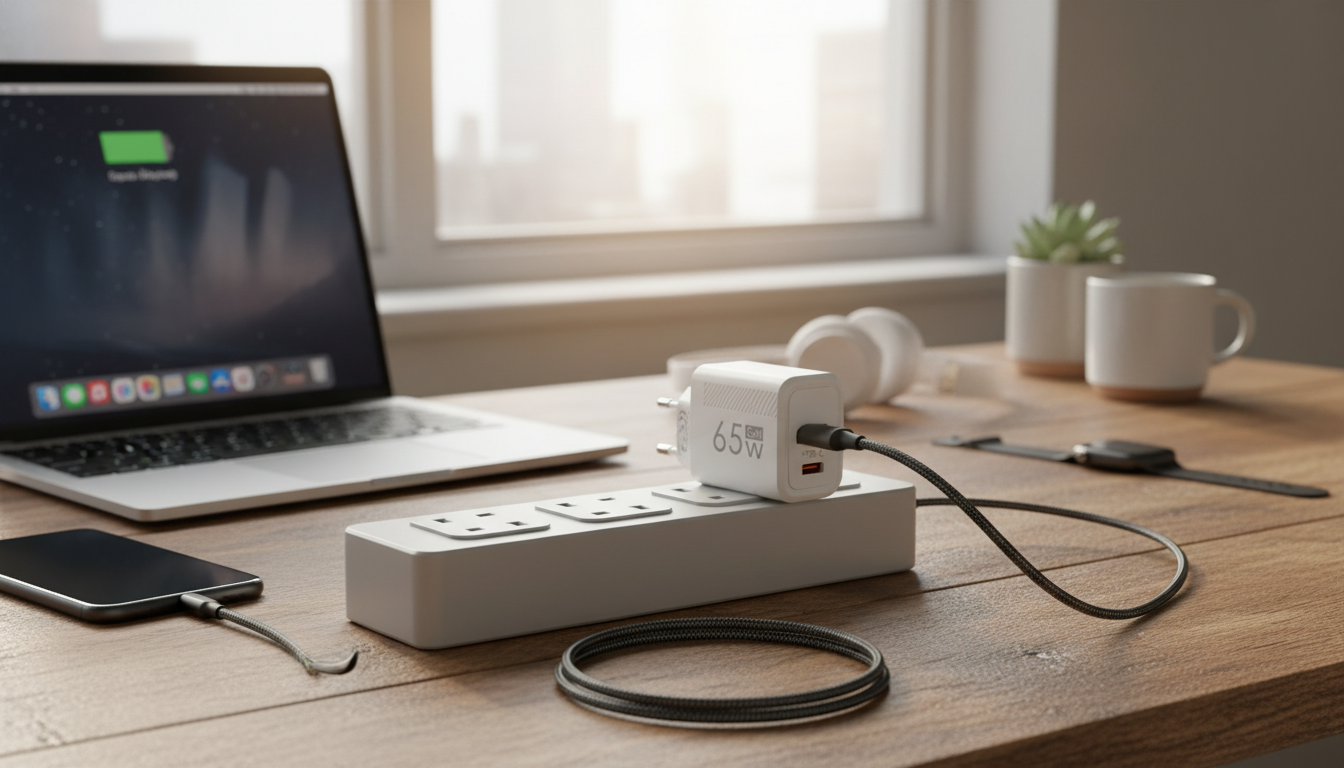
A 65W GaN wall charger is a practical upgrade for anyone who wants faster charging without hauling around a brick. Built around gallium nitride (GaN) power tech, it’s designed to deliver dependable USB-C charging for everyday devices—phones, tablets, handheld gaming systems, and many USB-C laptops—while keeping the adapter compact for travel and easy to use at a desk.
If you’re looking for one charger that can handle quick top-ups during the day and steady charging sessions at night, a 65W class charger with USB-C Power Delivery and Quick Charge compatibility can cover a wide range of modern gear without forcing you to pack multiple adapters.
What a 65W GaN wall charger is best for
- Fast charging modern smartphones that support USB-C fast-charging standards
- Powering tablets and handheld gaming devices that charge over USB-C
- Charging many USB-C laptops and ultrabooks that accept 45–65W input (device-dependent)
- Reducing bulk: GaN designs are typically smaller and cooler-running than older silicon chargers
- Keeping a single “main” charger at home, the office, and in a travel kit
For most people, 65W hits a sweet spot: it’s high enough to be useful beyond phones and tablets, while still staying compact. It also means a single adapter can “float” between devices—phone in the morning, laptop midday, tablet at night—without swapping chargers.
Charging standards and compatibility to look for
Fast charging isn’t just about wattage; it’s about the charging language your device and charger speak. The most common standards you’ll run into are USB Power Delivery and Quick Charge.
- USB-C Power Delivery (USB PD): common for phones, tablets, and most USB-C laptops; best choice for broad compatibility. Learn more at USB-IF’s USB Power Delivery overview.
- Quick Charge: widely used with many Android phones and accessories; useful when devices negotiate QC profiles. Qualcomm details versions and behavior on the Quick Charge feature page.
- Cable matters: to reach higher power levels, use a quality USB-C to USB-C cable rated for the required wattage/current.
- Device limits: the connected device controls how much power it draws; a 65W charger does not force 65W into a phone.
- Regional use: check supported input voltage (commonly 100–240V for travel) and plug type needed for your outlet.
Quick compatibility checklist
| Item to confirm |
Why it matters |
What to match with your device |
| USB PD support |
Enables the most consistent fast charging across USB-C devices |
Phones/tablets with PD fast charging; most USB-C laptops |
| Quick Charge compatibility |
Helpful for devices that negotiate QC profiles |
Many Android phones and QC-capable accessories |
| Max output (up to 65W class) |
Determines whether it can keep up with higher-demand devices |
Laptops that specify 45–65W USB-C input |
| Port type(s) |
Determines which cables/devices can connect directly |
USB-C devices (and USB-A devices only if a USB-A port is present) |
| Cable rating |
Insufficient cables can limit charging speed or cause instability |
Use an appropriate, well-rated cable for your target wattage |
GaN benefits in day-to-day use
GaN chargers are popular because they can deliver higher power in a smaller, more travel-friendly form factor. That doesn’t automatically mean every GaN charger performs identically, but the technology supports real everyday improvements when it’s implemented well.
- Smaller footprint for the same power class: easier to pack and easier to fit on crowded power strips.
- Potentially better efficiency and reduced heat: compared with older designs (actual performance depends on implementation). For a deeper technical overview, see Navitas’ GaN power technology information.
- More stable fast charging during long sessions: when paired with a suitable cable and a device that supports fast charging.
- A practical option for overnight charging plus rapid top-ups: one adapter can serve both “slow and steady” and “get me to 50% quickly” moments.
Safety and reliability considerations
- Prefer chargers that state protections such as over-current, over-voltage, short-circuit, and over-temperature safeguards.
- Avoid using damaged cables or loose wall outlets; intermittent contact can cause heat and charging dropouts.
- For laptops, match the laptop’s recommended USB-C wattage; if a laptop expects more than 65W, performance may be limited during heavy workloads.
- Allow ventilation: keep the charger unobstructed during high-power charging to reduce heat buildup.
A fast charger should feel boring in the best way—steady charging, no surprises, and consistent performance over time. If you notice frequent disconnects, unusually hot connectors, or inconsistent charging, the cable is often the first thing to replace.
Setup tips for the fastest charge
When this 65W class charger is a good choice
In-stock picks
FAQ
Will a 65W charger damage a phone that only needs 20W?
No—when the charger, cable, and phone follow USB fast-charging standards, the phone negotiates power and only draws what it can use. Using a quality USB-C cable helps ensure stable charging and proper negotiation.
Is Quick Charge the same as USB Power Delivery?
No. Quick Charge and USB Power Delivery are different fast-charging protocols; many chargers and devices support one or both. Most USB-C laptops primarily rely on USB Power Delivery for charging.
Why is my device not charging at the fastest speed?
Common causes include an unsupported charging protocol, an older or low-rated cable, device heat limiting charge speed, charging through hubs/adapters, or the device setting its own power limit. Swapping to a known good fast-charge cable and charging directly from the wall often fixes it.
Recommended for you












Leave a comment