3-in-1 Magnetic Wireless Charging Stand for iPhone, AirPods, and Apple Watch
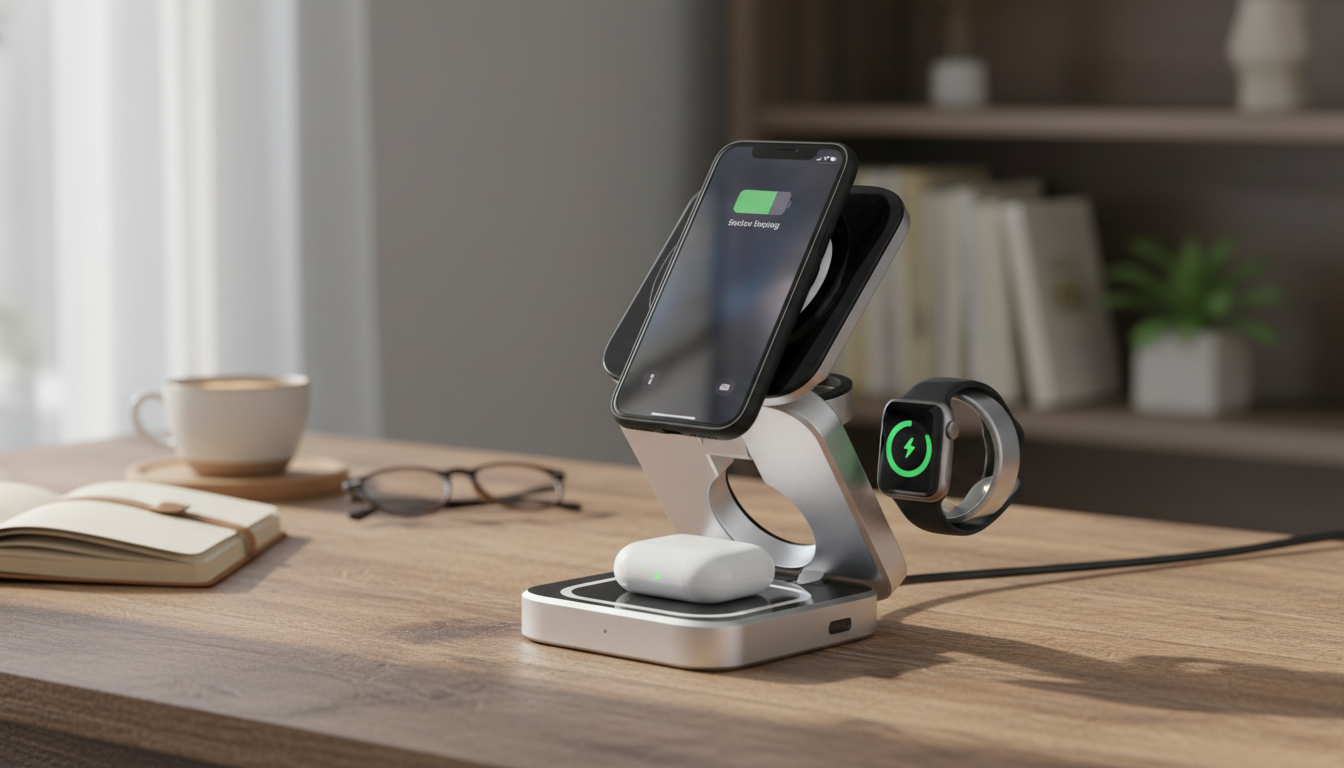
A single charging stand can replace three separate cables while keeping an iPhone at a comfortable viewing angle, AirPods easy to dock, and an Apple Watch charging in its usual bedside spot. A 3‑in‑1 magnetic wireless charging stand is designed to make daily charging feel automatic: set devices down, confirm the indicator, and move on. Below is what to expect, how to set it up quickly, and what habits help it charge reliably day after day. For more guidance, see Satechi 3-in-1 Magnetic Wireless Charging Stand- iphone-Airpods ….
What a 3-in-1 magnetic stand does (and what it doesn’t)
A 3‑in‑1 magnetic stand combines dedicated charging areas for an iPhone, AirPods, and an Apple Watch so your desk or nightstand stays organized. The phone mount typically uses magnetic alignment (similar to MagSafe behavior) so the iPhone “snaps” into a repeatable spot, which reduces fussy repositioning and makes one‑hand docking easier. For further reading, see 3-in-1 Magnetic Wireless Charging Stand for iPhone & AirPod.
Most stands support portrait and landscape viewing, so the iPhone stays readable for calls, messages, or a bedside clock. What it doesn’t do: guarantee maximum speed for every device in every scenario. Wireless charging is limited by the stand’s design, the wall adapter you plug into, and each device’s own charging curve and safety limits.
Also, cases and accessories matter. Thick cases, wallet attachments, metal rings, and pop sockets can shift alignment or block charging altogether. If charging seems inconsistent, removing accessories is the fastest way to confirm interference.
Design highlights that matter for everyday use
Stable base
A sturdy base prevents tipping when tapping the screen, silencing alarms, or lifting the watch off its charger. This is especially important if the iPhone is mounted at an angle where leverage can cause a light stand to slide.
Viewing angle
A good stand keeps the iPhone readable at a desk and comfortable on a nightstand. For workdays, it should sit high enough to glance at notifications; at night, it should remain visible without forcing you to prop the phone against something else.
Cable management
One input cable is simpler to route than three separate leads. Cleaner cable paths also reduce snagging—useful if the stand sits near a lamp, keyboard, or bedside drawer.
Dock spacing
Look for room to accommodate common iPhone sizes and camera bumps without wobble. If the phone rocks on the mount, charging can become intermittent as the coil shifts away from its ideal position.
Heat control
Wireless charging runs warmer than wired charging, and open designs generally dissipate heat better during long sessions. Better airflow can mean fewer slowdowns caused by heat management.
Compatibility checklist before buying
Before choosing a stand, verify that each device can charge the way the stand expects. Magnetic alignment is most reliable on MagSafe‑compatible iPhones or with MagSafe‑style cases, while AirPods require a Qi‑compatible case for wireless charging. Apple Watch charging uses its own dedicated interface, so the watch area of the stand must match the puck/seat style it’s designed to accept.
For background on wireless charging standards, the Wireless Power Consortium maintains details on Qi at wirelesspowerconsortium.com. For iPhone magnetic alignment, Apple’s MagSafe support resources are available at support.apple.com.
Quick device fit check
| Device |
What to look for |
Common issue to avoid |
| iPhone |
Magnetic alignment support (MagSafe or compatible case) |
Thick/metal cases or wallet attachments causing misalignment |
| AirPods |
Qi wireless charging case |
Non-wireless case placed on the pad (won’t charge) |
| Apple Watch |
Proper watch charging seat/puck compatibility |
Loose watch placement or band tension lifting the watch off the charger |
Setup: best results in 5 minutes
Start with placement. Put the stand on a flat surface with airflow—avoid soft bedding, thick fabric runners, or cramped corners where heat can build up. Next, plug it into a reliable wall adapter. When three devices charge at once, higher-quality adapters tend to hold voltage better, which helps prevent brief charging drops.
For the first test, dock the iPhone magnetically to confirm alignment and that it begins charging. Then place the AirPods on their pad and the Apple Watch on its charging spot. If charging pauses, remove the iPhone case and any magnetic accessories and try again; this quickly reveals whether the issue is interference or power delivery.
Charging performance and heat: what’s normal
Where this stand fits best: desk, nightstand, and travel
Desk use
Nightstand use
Shared spaces
Travel note
Product spotlight
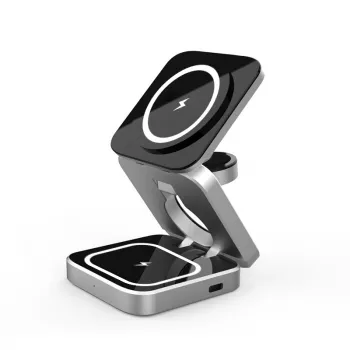
If the goal is one organized charging station for daily Apple essentials, the 3-in-1 Wireless Charging Magnetic Stand for Apple iPhone, AirPods, Apple Watch is built around a 3‑in‑1 layout with a magnetic phone mount for easy placement and a clean, display-forward setup. It’s a practical way to reduce cable clutter and keep frequently used devices within reach.
More in-stock finds
FAQ
Will a 3-in-1 magnetic stand charge through an iPhone case?
Often yes with MagSafe-compatible cases. Thick cases, metal components, or add-ons like wallet attachments can weaken alignment and reduce charging consistency, so testing without the case is a quick troubleshooting step.
Do AirPods need a special case to charge on a wireless stand?
Yes. AirPods must be in a Qi-compatible wireless charging case; if the case doesn’t support wireless charging, placing it on the pad won’t charge.
Why does wireless charging sometimes stop or slow down?
Common causes include an underpowered wall adapter, slight misalignment, heat buildup, or case/accessory interference. Improving ventilation, re-seating devices, and using a higher-quality adapter usually resolves it.
Recommended for you











Leave a comment