Wireless Robot Wi‑Fi Baby Monitor & CCTV Camera with Night Vision: Setup, Features, and Everyday Use
A compact Wi‑Fi camera that can double as a baby monitor and a simple indoor security cam can make daily routines easier—especially when it includes night vision and remote viewing. A “robot-style” indoor camera (often with a rounded head and swivel base) is popular for quick check-ins from a phone, whether you’re in the kitchen, on a work call, or away from home.
Below is a practical guide to what this type of camera is designed to do, which features matter most after lights-out, how to set it up safely, and how to keep both your household and your network protected.
What This Camera Is Designed to Do
- Acts as a live video monitor for nursery check-ins and general indoor home monitoring.
- Connects over Wi‑Fi for viewing from a phone app when you’re away from the room.
- Includes night vision support for low-light and lights-out monitoring.
- Works in multiple spaces: crib area, playroom, entryway, pet corner, or for elderly care check-ins.
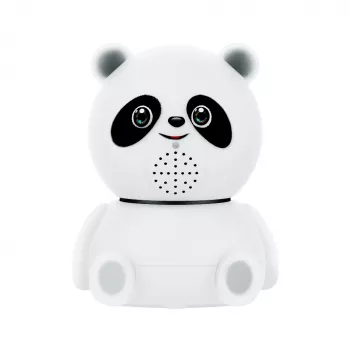
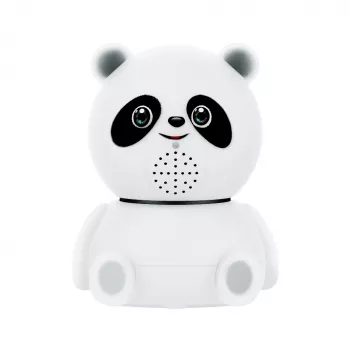
For households that want one device to cover multiple roles, an option like the Wireless Robot WIFI Baby Monitor & CCTV Camera with Night Vision is aimed at straightforward indoor viewing without the complexity of a full security system.
Key Features to Look For (and Why They Matter at Night)
Nighttime is where indoor monitors either become truly helpful or frustrating. A clear image in low light, a stable connection, and sensible alerts are the difference between a quick glance and constant fiddling.
- Night vision: Helps you see after lights-out without turning on a lamp that could disrupt sleep.
- Stable Wi‑Fi connection: Reduces dropouts and delayed video—especially if the router is far from the nursery.
- Mobile app access: Enables fast checks from another room or while you’re out.
- Motion alerts (if supported by the app): Useful when you don’t want to watch the feed continuously.
- Two-way audio (if supported): Can help you soothe or reassure without entering the room right away.
- Flexible placement: Lets you position the camera at a safer distance while still keeping a clear view.
Quick checklist for nursery and indoor security use
| Need |
Why it matters |
What to verify before buying/setting up |
| Night visibility |
See breathing movements and general position after dark |
Night vision toggles automatically; image remains usable in a dark room |
| Reliable connection |
Avoid missed moments and choppy audio/video |
Camera is within strong Wi‑Fi range; router isn’t overloaded |
| Safe placement |
Reduces risk from cords and unstable mounting |
Mount is secure; device is out of reach; no loose cables near crib |
| Notifications |
Less screen time while staying aware |
Motion/sound alerts are configurable to prevent constant false alarms |
| Privacy controls |
Protect household video and audio |
Strong password, app updates, and the ability to manage who can access the feed |
Setup in Under 20 Minutes
Most Wi‑Fi cameras follow a similar setup flow: place it, power it, pair it in an app, then test day/night viewing and alerts. These steps keep the process fast while emphasizing safety.
If you’re also updating the room’s lighting for calmer bedtime routines, a warm, soft overhead fixture can help keep pre-sleep light gentle (while still letting you see during feedings). The Handmade Wabi Sabi Rattan Pendant Light is one option households use for a warmer, more relaxed indoor feel.
Placement Tips for Baby Monitoring and Home Use
For safe sleep basics—like keeping the sleep space clear and avoiding hazards—review the American Academy of Pediatrics guidance: AAP Safe Sleep Recommendations.
Privacy and Safety Basics for Any Wi‑Fi Monitor
Two helpful references for home network and smart-device security are the FTC’s guide to Wi‑Fi protection (Securing Your Home Wi‑Fi Network) and CISA’s smart device tips (Secure Your Smart Devices).
Common Troubleshooting
Product Snapshot
The Wireless Robot WIFI Baby Monitor & CCTV Camera with Night Vision is positioned as an affordable option for basic indoor monitoring needs. It’s best suited to simple nursery check-ins, pet monitoring, and keeping an eye on common rooms with night visibility—especially when paired with thoughtful placement and solid account security.
At-a-glance details
FAQ
Is a Wi‑Fi baby monitor safe to use in a nursery?
Yes, when it’s placed safely (out of reach, no cords near the crib, and securely mounted) and the account is secured with strong passwords, updates, and limited sharing. For extra protection, using a guest/IoT network can help isolate the camera from other devices.
Does night vision work in a completely dark room?
Night vision typically uses infrared (IR) to see in darkness, so it can work even with the lights off. Clarity depends on a clean lens, avoiding reflections (like mirrors or glossy surfaces), and not pointing toward windows or bright light sources.
What causes delayed video or choppy audio on a wireless monitor?
Lag usually comes from weak Wi‑Fi signal, distance from the router, network congestion, or streaming at a higher resolution than the connection can handle. Moving the camera closer to the router, lowering stream quality, or reducing other Wi‑Fi-heavy activity often improves performance quickly.
Recommended for you











Leave a comment