Can I connect a phone mic to a laptop?
Yes—most phone mics can work with a laptop, but the connection method depends on the mic’s plug type (TRRS vs. TRS), whether it’s wired or wireless, and what input your laptop actually has. Many laptops combine headphones and mic into a single 3.5mm TRRS jack, while others have separate headphone and mic ports—or no analog mic input at all.
How to connect a phone microphone to a laptop
1) If your phone mic has a 3.5mm TRRS plug (common with phone lav mics)
A TRRS plug is designed for smartphones. If your laptop has a single headset jack, it may accept TRRS directly. If your laptop has separate headphone and mic jacks, you’ll usually need a TRRS-to-TRS mic adapter (often labeled “headset to mic/headphone splitter”) to route the mic correctly.
2) If your phone mic uses USB-C or Lightning
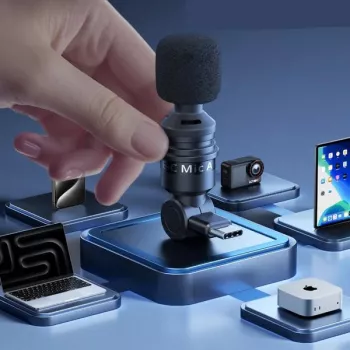
These are built for phones, so they typically won’t plug straight into a laptop without the right adapter or a compatible USB audio interface. In many cases, it’s simpler to use a USB mic for laptops, or use a mic system that offers a USB receiver/dongle.
3) If it’s a wireless phone mic system
Some wireless mini mics can connect to a laptop via a USB receiver or via a 3.5mm output on the receiver. If the receiver outputs 3.5mm, you may still need a TRS/TRRS adapter depending on your laptop’s input.
Quick setup checklist
After connecting, select the microphone in your laptop’s sound/input settings and do a short test recording. If you get low volume or no signal, the issue is usually an adapter mismatch (TRRS vs. TRS) or the laptop defaulting to the wrong input device.
For a practical walkthrough of pocket-size mini mics across phone, laptop, and camera setups, see the full guide here: https://ciceras.com/guide-pocket-mini-mic-phone-laptop-camera-audio/.
FAQ
Do I need an adapter to use a lav mic made for phones on a laptop?
Often, yes. Phone lav mics are commonly TRRS, while many laptops expect TRS on a dedicated mic input, so a TRRS-to-TRS adapter or splitter can be required.
Recommended for you












Leave a comment