Wireless Hot-Swappable TKL Mechanical Gaming Keyboard (87-Key) with RGB Backlight
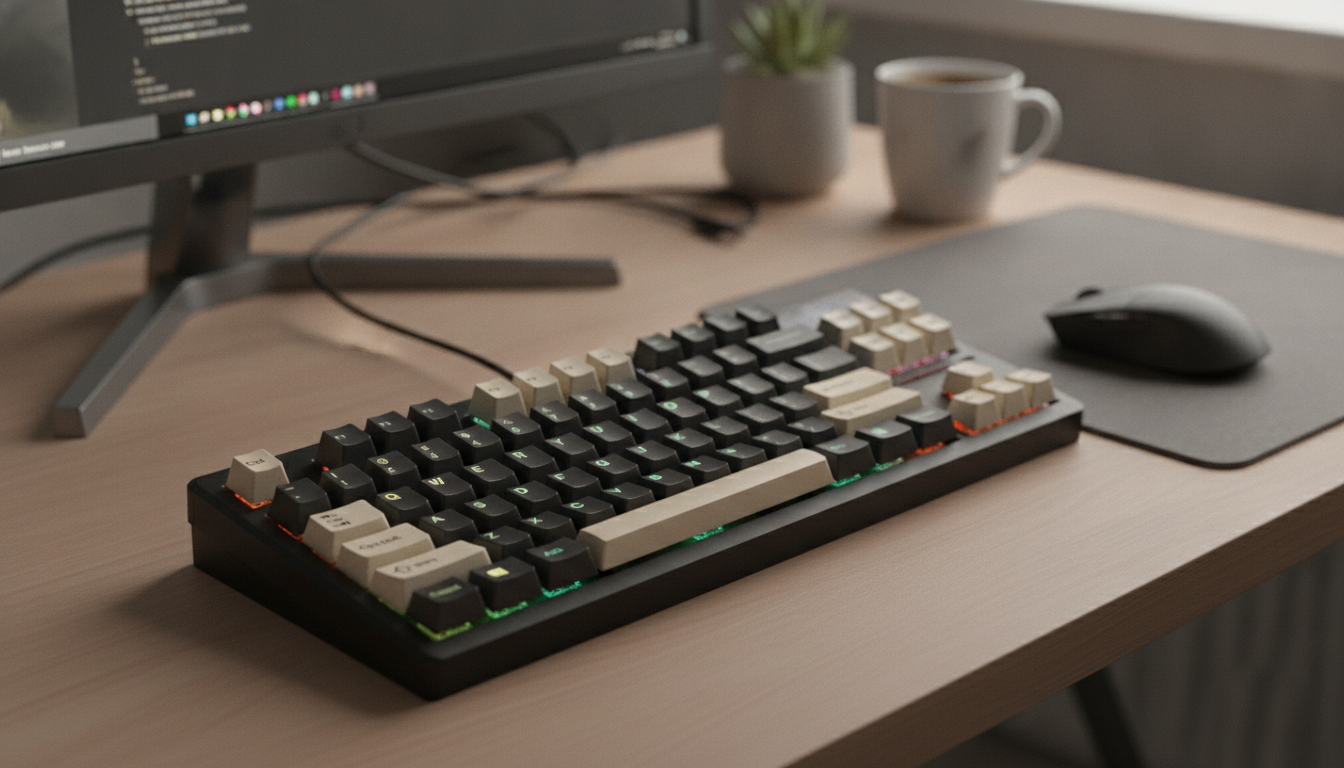
A tenkeyless mechanical keyboard keeps the essential keys while freeing desk space for wider mouse movement—ideal for fast-paced play and clean setups. This wireless 87-key model adds hot-swappable switches and customizable RGB lighting for a keyboard that can evolve with preferences over time.
What Makes a TKL Wireless Mechanical Keyboard Different
A TKL (87-key) layout removes the number pad, trimming overall width without sacrificing core controls like the function row and arrow cluster. That smaller footprint matters in real use: it gives your mouse more room, keeps your shoulders a bit more relaxed, and makes it easier to position the keyboard exactly where it feels natural.
Wireless connectivity supports a cleaner setup and quick repositioning—handy when switching between a low-sensitivity FPS posture and a more centered typing position. Under the hood, mechanical switches are built for consistent actuation and a more defined press than many membrane boards. Add RGB backlighting and the keyboard becomes easier to use in low light while offering practical visual cues for keybinds and profiles.
For background reading on input device standards and how keyboards report presses to a host device, the USB HID Usage Tables are a helpful reference.
Hot-Swappable Switches: Custom Feel Without Soldering
Hot-swappable sockets let you remove and replace compatible mechanical switches without soldering. That turns a keyboard into a platform instead of a one-and-done purchase: try new switch styles over time, tune your movement keys to match your playstyle, or replace a single inconsistent switch rather than retiring the whole board.
Switch choice affects both feel and sound. Lighter switches can reduce fatigue during long sessions and make rapid taps easier, while heavier options can help prevent accidental presses. Before buying replacements, confirm compatibility (commonly 3-pin or 5-pin mechanical styles) so the switches seat correctly and remain stable.
Common Switch Feel Profiles (General Guide)
| Switch feel |
Typical behavior |
Best for |
| Linear |
Smooth press, no bump |
Fast repeated keystrokes and consistent movement keys |
| Tactile |
Noticeable bump at actuation |
Balanced gaming and typing feedback |
| Clicky |
Tactile bump with audible click |
Users who want strong sound/feedback (less ideal for shared spaces) |
For a deeper reference on switch designs and terminology, Deskthority’s keyboard switch overview is a solid starting point.
Wireless Use: Connectivity, Battery, and Latency Basics
Wireless keyboards typically connect using either a USB receiver or Bluetooth. A receiver-style connection is often the simplest for a dedicated gaming PC: plug in, set your preferred polling/connection mode if available, and keep a consistent link. Bluetooth is convenient for laptops, tablets, and multi-device setups—especially when switching between work and play on different systems.
For competitive gaming, stable wireless performance matters more than flashy extras. Keep the receiver close (and away from heavy interference) when possible, and ensure the keyboard’s wireless mode matches your device and usage. Battery life can vary dramatically depending on RGB brightness and effects; static lighting at a lower brightness typically extends runtime. Practical charging features—like being able to keep playing while charging—make a noticeable difference in daily use.
If you use Bluetooth devices frequently and want to understand the standard at a higher level, the Bluetooth Core Specification is the canonical source.
RGB Backlighting That’s Actually Useful
RGB can be more than decoration when it’s implemented with usable controls. In dim rooms, backlighting helps you find keys quickly without cranking up monitor brightness. It can also highlight important binds—movement keys, push-to-talk, ability keys, or media controls—so you can glance down and confirm you’re on the right layer or profile.
Build and Layout Details That Affect Everyday Use
Quick Checklist Before Buying
| Detail |
Why it matters |
What to confirm |
| Switch compatibility |
Ensures painless hot-swap upgrades |
Supported pin type and switch style |
| Wireless mode |
Determines device pairing flexibility |
Receiver/Bluetooth support and OS compatibility |
| Keycap set |
Affects feel and long-term wear |
Material, profile, and replacement availability |
| Lighting controls |
Impacts convenience and battery |
On-board shortcuts and brightness steps |
Product Snapshot: Wireless Hot-Swappable 87-Key RGB Keyboard
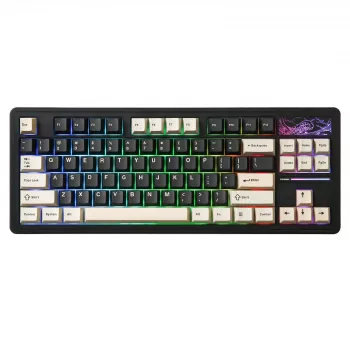
If a compact footprint, wireless flexibility, and long-term customization are priorities, the Wireless Hot Swappable TKL Mechanical Gaming Keyboard 87-Key RGB Backlit is positioned as a strong everyday option. It keeps the keys most players and typists rely on, while leaving space for broader mouse movement and cleaner desk layouts.
At-a-Glance
More In-Stock Picks to Round Out Your Setup
FAQ
What does “hot-swappable” mean on a mechanical keyboard?
It means compatible switches can be removed and replaced without soldering. Use a switch puller and confirm the board supports the pin style you’re buying (commonly 3-pin or 5-pin) to ensure a proper fit.
Is a tenkeyless (TKL) keyboard better for gaming?
It can be, because removing the number pad reduces the keyboard’s width and gives your mouse more room, which is especially helpful in fast-paced games. The trade-off is losing the numpad for heavy data entry or macros that rely on that cluster.
Does RGB lighting reduce battery life on a wireless keyboard?
Yes—higher brightness and animated effects typically consume more power. Using static colors, lowering brightness, or turning lighting off when not needed usually extends runtime.
Recommended for you









Leave a comment