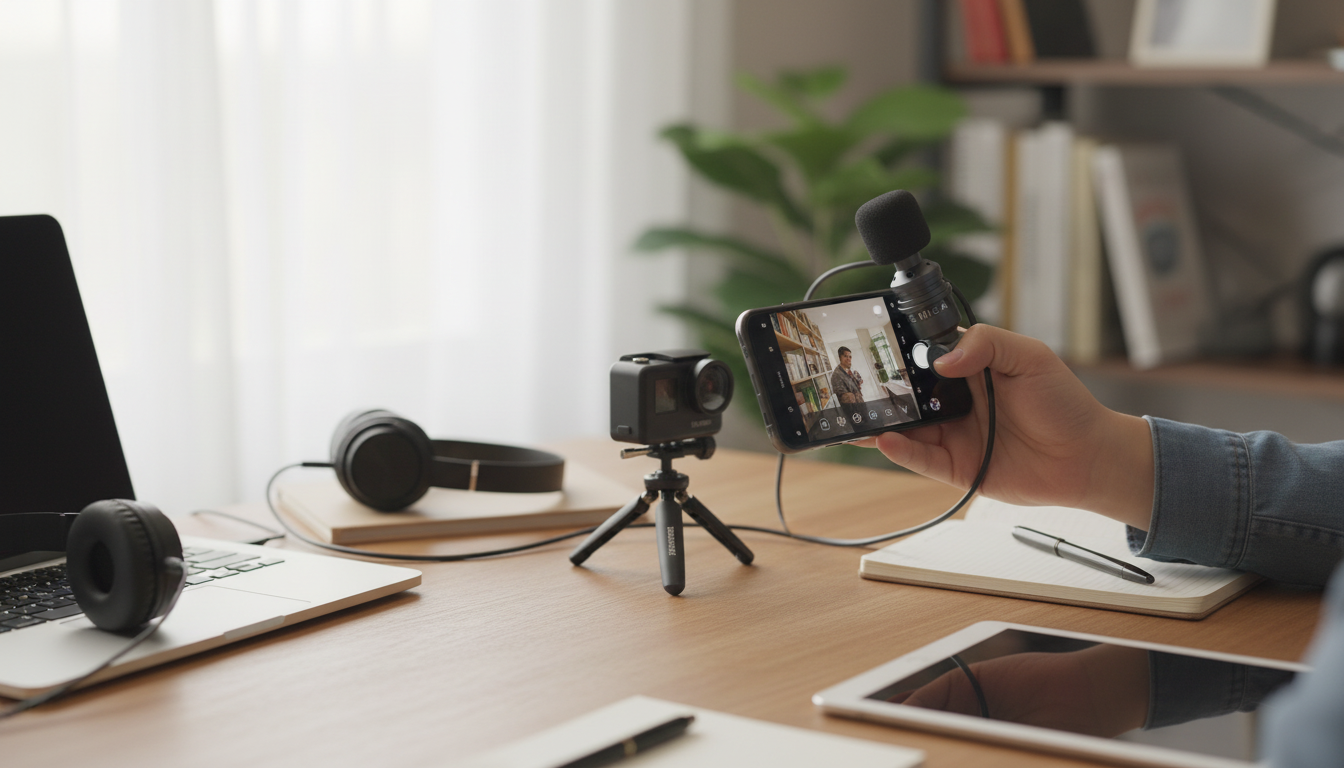
Clean, intelligible audio makes videos, calls, lessons, and streams feel instantly more professional. A compact mic that works across a phone, laptop, and camera helps capture voices up close, reduce room noise, and stay ready for spontaneous recording—at a size that fits in a pocket or gear pouch. For more guidance, see Microphones – Loyola University Chicago.
What a Mini Portable Mic Helps With
- Sharper speech for vlogs, short-form videos, interviews, and live streams
- More consistent volume when the speaker moves or the camera is farther away
- Better clarity for online meetings, remote classes, and voice notes
- Quick setup for travel, events, and on-location shooting
- A simple upgrade for creators who don’t want bulky audio gear
Built-in mics usually sit too far from the voice and pick up more of the room than you want. A mini portable mic improves “signal-to-noise” by getting the microphone closer to the speaker—often the biggest single upgrade you can make for real-world sound. For further reading, see Use your mobile phone/tablet as a secondary camera in Zoom.
Who It’s For
- Content creators recording on a phone or compact camera
- Students and teachers needing clear voice pickup for lessons and presentations
- Remote workers who want speech to sound less “distant” than built-in mics
- Casual podcasters and gamers looking for an easy entry-level audio boost
- Travelers who need lightweight, packable accessories
Compatibility Checklist (Phone, Laptop, Camera)
- Phone: confirm the device’s audio input method (USB-C, Lightning, or 3.5 mm) and whether an adapter is needed
- Laptop: check for a combined headset jack vs separate mic/headphone ports; USB audio can bypass analog jacks
- Camera: confirm the presence of a 3.5 mm mic input (many entry cameras lack one)
- App settings: ensure the recording app is set to use the external microphone when connected
- Monitoring: if real-time monitoring is required, verify the device/app supports headphone monitoring
Quick Setup Guide by Device
| Device |
Connection to check |
Common extra needed |
Best use cases |
| Phone |
USB-C / Lightning / 3.5 mm |
Adapter for port type; sometimes TRRS support |
Street interviews, reels, travel clips |
| Laptop |
3.5 mm combo jack or USB |
Splitter for separate jacks (if needed) |
Calls, classes, voiceovers |
| Camera |
3.5 mm mic-in |
Cold shoe mount/clip; extension cable |
Vlogging, events, sit-down videos |
Features That Matter for Clear Voice
- Pickup pattern: a more focused pickup can reduce surrounding noise compared with wide-open omnidirectional capture
- Placement options: clip, small stand, or camera-mount positioning affects proximity and clarity
- Power and simplicity: plug-and-play designs reduce setup time and failure points
- Cable and connector durability: frequent travel and bag carry can stress connectors
- Wind handling: basic foam or a small windshield helps outdoors
- Noise control: keeping the mic closer to the mouth is often more effective than aggressive software filtering
For a quick refresher on how microphones capture sound (and why distance matters so much), Shure’s primer on mic fundamentals is a solid reference: Microphone Basics. For practical capture tips—like avoiding distortion and setting healthy levels—Adobe also has a helpful overview: Audio recording tips.
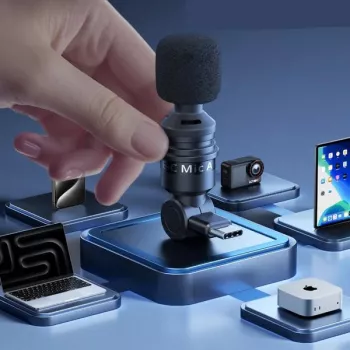
If you want an easy, grab-and-go upgrade from built-in microphones, the Mini Portable Mic for Phone, Laptop & Camera is designed for everyday carry and quick recording. It’s a simple way to get your voice closer to the mic—often the difference between “watchable” and “professional enough to publish.”
- Compact form factor for everyday carry and quick recording
- Designed for use across common devices—phone, laptop, and camera workflows
- Ideal as a budget-friendly step up from built-in microphones for voice clarity
- Useful for creators who want a simple, grab-and-go audio solution
Practical Tips for Better Sound in Real Rooms
- Get close: reducing the distance to the speaker improves clarity and lowers background noise
- Watch the room: soft furnishings reduce echo; hard walls and empty rooms amplify it
- Set levels: avoid clipping by speaking at the intended loudness and checking meters when possible
- Handle noise: avoid touching the mic/cable during recording and keep it away from rubbing clothing
- Outdoor recording: use a windshield and face away from wind if possible
- Backups: record a short test clip before important takes (events, interviews, ceremonies)
A quick workflow that saves time: record a 10-second test, listen on headphones, then adjust placement (closer is usually better) before you change any software settings. If your audio is already clean at the source, you’ll need less post-processing and keep voices sounding natural.
Care, Storage, and Travel
More In-Stock Picks You Might Like
FAQ
Will a portable mic work with both a phone and a laptop?
Yes, as long as the connector type matches (USB, 3.5 mm, Lightning, or USB-C) or you use the correct adapter/splitter. Also confirm your laptop jack type (combo vs separate ports) and select the external mic as the input in your device/app settings.
How can wind noise be reduced when recording outside?
Use a foam cover or small windshield and position the mic out of direct wind (your body can help block gusts). Recording closer to the speaker and using slightly lower gain also reduces low-frequency rumble.
Why does the audio still sound echoey with an external mic?
Echo is usually caused by room acoustics, not the microphone. Move the mic closer, choose a smaller/softer space, and add soft materials (curtains, blankets, rugs) before relying on heavy noise reduction.
Recommended for you











Leave a comment